The Best Free Metal Plugins For Crushing Mixes (and any budget)
Nail The Mix Staff
You want slamming, polished metal mixes that sound like they came straight from a top studio. But then you see the price tags on some of those “must-have” plugins, and your wallet starts to sweat.
The big question: can you actually craft a killer metal mix using just free VST plugins? Short answer: Hell yes, you can.
Sure, there’s a ton of amazing paid software out there, and we all get hit with G.A.S. (Gear Acquisition Syndrome – or in this case, Plugin Acquisition Syndrome). You see your favorite producers using a fancy new toy, and you think that’s the secret. But here’s the NTM philosophy in a nutshell: your skills and your ears are far more important than the specific brand of digital tools you’re wielding. That said, some tools are undeniably better for certain jobs. If you need to surgically tame harsh guitar fizz, a dynamic EQ like Soothe is a game-changer. Chasing a specific Pantera guitar tone? Yeah, the amp sim matters.
But for a massive chunk of your mixing tasks? Free plugins, including the stock ones in your DAW, are often more than capable, if you know how to use them. So, let’s dive into some powerhouse free VSTs that can help you forge some seriously brutal metal without spending a dime.
Do You Really Need to Shell Out Cash for Slamming Metal Mixes?
We’re not saying premium plugins are a scam. They often offer unique features, slick UIs, or emulate specific analog gear with incredible accuracy. But let’s be real: the stock plugins bundled with DAWs like Reaper, Logic Pro X, Cubase, or Studio One have become incredibly powerful. You can absolutely get a pro-sounding mix using only stock plugins if your ears and mixing chops are up to par.
Think about it: the top mixers in the world? Guys like Jens Bogren, Will Putney or Andy Sneap? Give them a minimal setup—stock EQs, stock compressors, a decent free amp sim, and something like Slate Trigger for drum samples—and they’ll still deliver a face-melting mix. Why? Because their mixes are good due to their skills, not just because they used seven different boutique EQs on the snare. They know what needs to be done, and they know how to use their tools to achieve it.
The real trap is thinking a new plugin will magically fix your mix problems. It won’t. What will help is understanding the fundamentals of EQ, compression, and spatial effects, and then finding tools—free or paid—that let you implement those fundamentals effectively. Your comfort and workflow with a plugin are paramount. If a plugin’s GUI feels like deciphering ancient hieroglyphics (we’re looking at you, early iZotope Ozone, for some folks!), it’s going to slow you down, no matter how “good” it supposedly is.
So, instead of chasing the next shiny object, let’s look at some free VSTs that can genuinely elevate your metal productions when you invest the time to learn them.
EQ: Essential Free Plugins for Sculpting Sick Tones
EQ is arguably your most important mixing tool. From carving out space for instruments to adding punch and clarity, a good EQ is indispensable. While your stock DAW EQ is likely fantastic for general duties, these freebies offer unique character or functionality.
TDR Nova (Tokyo Dawn Records): This isn’t just a parametric EQ; it’s a dynamic EQ. Think of it as an EQ that reacts to the audio. For metal, this is gold.
- Metal Application: Got screechy high-mid guitar frequencies that only poke out on certain chugs? A dynamic band on Nova can clamp down on them only when they appear, keeping the overall tone intact. Perfect for taming harsh cymbal washes (that 4-6kHz sizzle) without dulling them completely, or de-essing aggressive vocals. Try a narrow band around 2.5-4kHz on a piercing guitar and set it to dynamically cut a few dB when that frequency gets too loud.
- Pro Tip: Use it for subtle sidechaining effects, like ducking the bass guitar slightly whenever the kick drum hits, focusing the dynamic cut on the low-mids (around 200-500Hz) where they might clash.
- Get TDR Nova here
Luftikus by lkjb: An analog-modelled EQ with fixed bands and a special “boost” feature for high frequencies that adds a nice sheen.
- Metal Application: Great for adding broad tonal character. The “keep-gain” feature lets you boost a band without drastically increasing overall volume, making it easier to judge the tonal change. Try it on a drum bus for some airy top-end or on a master bus (carefully!) for a touch of analog-style polish. The 2.5kHz and 40Hz bands can be great for adding punch and weight respectively.
- Get Luftikus by lkjb here
MEqualizer (MeldaProduction MFreeFXBundle): A very capable 6-band EQ with an integrated sonogram and spectrum analyzer.
- Metal Application: A workhorse EQ for surgical cuts and broad boosts. The visual feedback is excellent for identifying problematic frequencies in dense metal mixes, like that annoying low-mid mud around 200-350Hz in heavy guitars or finding the fundamental of your kick to boost.
- Get Mequalizer here
Dive deeper on EQ and more free plug-ins:
- Our guide on how to EQ metal guitar
- The best free EQ plugins
Free Compressors That Crush (In a Good Way)
Compression is key to controlling dynamics, adding punch, and gluing elements together in a metal mix. From subtle peak taming to aggressive parallel smashing, these free compressors deliver.
Klanghelm MJUC jr.: A variable-mu style compressor with a simple two-knob interface (Compress and Make-Up). Don’t let the simplicity fool you; this thing has character.
- Metal Application: Excellent for adding warmth and thickness. Try it on a lead vocal to give it presence and smooth out dynamics. Great on bass guitar to even out notes and add a bit of “goo.” For parallel drum compression, slam it hard (fast attack, fast release, lots of gain reduction) and blend it back in for explosive punch.
- Get Klanghelm MJUC jr here
TDR Kotelnikov (Tokyo Dawn Records): A very transparent, mastering-grade compressor. It’s all about control without adding overt color (unless you push it into its “Insane” mode).
- Metal Application: Perfect for your drum bus or even the mix bus if you’re looking for clean dynamic control. Use it to gently tame peaks on overheads or to add cohesion to your main drum group. Its advanced sidechain filtering options allow you to, for example, prevent low-end from triggering the compressor too much, which is super useful on a drum bus where the kick might otherwise dominate.
- Get TDR Kotelnikov here
DC1A3 (Klanghelm): Another simple yet effective character compressor. It has a few modes like “Deep” for more low-end response and a “Relaxed” mode.
- Metal Application: Great for adding attitude quickly. Slap it on a snare for extra crack, or on room mics to bring out sustain and aggression. The “Negative” mode can create some interesting pumping effects for creative use.
- Get DC1A3 here
More info on free compression-related plugins:
- Our guide on the basics of compression
- The best free compressor plugins
- The best free limiter plugins
- The best free multiband compressor plugins
- The best free gate/expander plugins
- The best free transient shaper plugins
Sick guitar tones with free amp sims
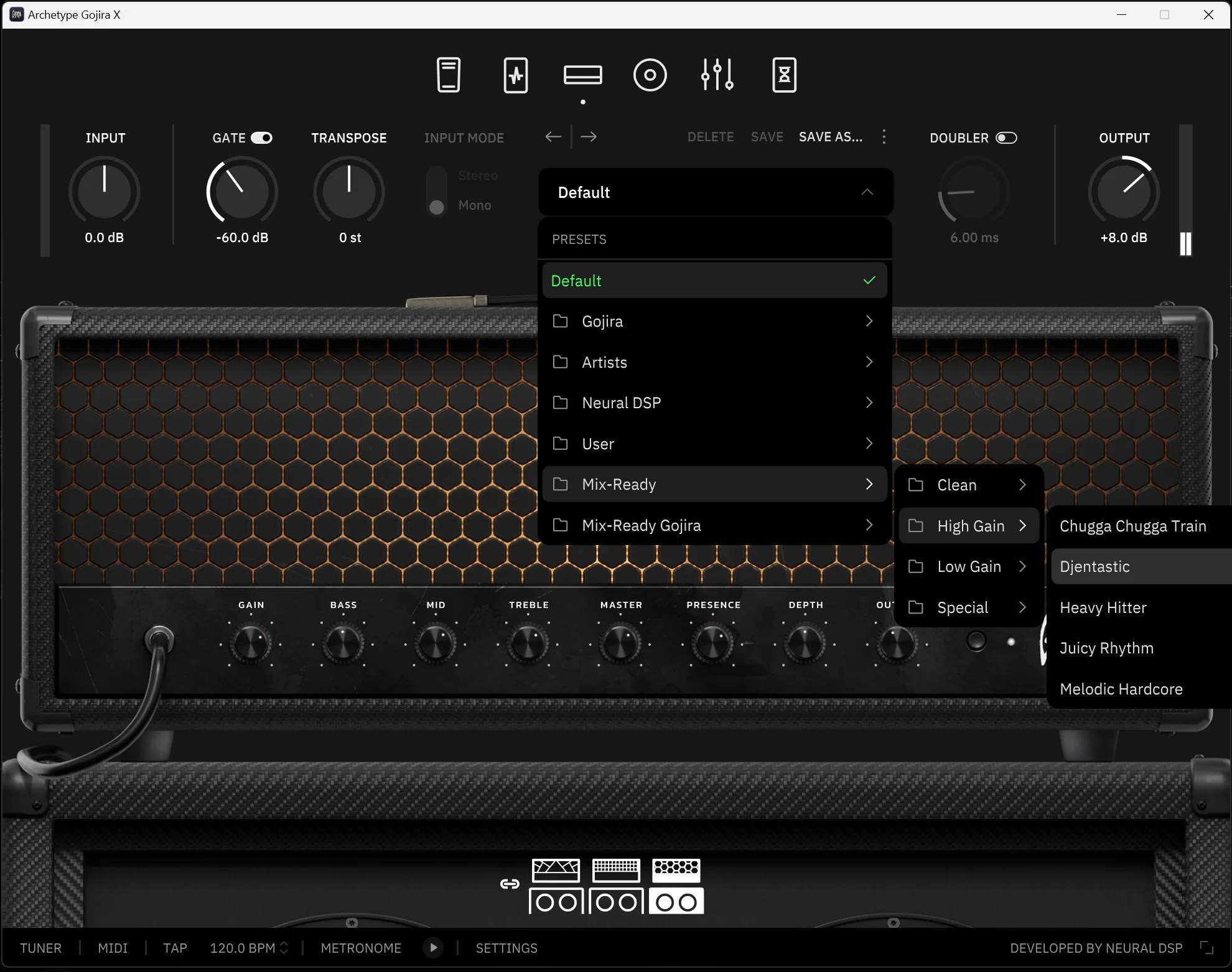
This is where things get exciting for metal guitarists. A good amp sim is crucial, and thankfully, there are some incredible free options. Remember, you’ll almost always need a separate Impulse Response (IR) loader plugin (like the free NadIR from Ignite Amps, or Lancaster Audio Pulse) and some quality IRs to get the best out of these.
Ignite Amps Emissary Bundle: This includes the Emissary amp head (a modern high-gain beast, think tight, articulate distortion perfect for djent and modern metal) and NadIR, an excellent dual IR loader.
- Metal Application: Dial in the Emissary for searing lead tones or chugging rhythms. Pair it with IRs from OwnHammer, Celestion, or free packs like Seacow Cabs or Catharsis. Experiment by blending two different IRs in NadIR – for instance, one SM57-captured IR for midrange punch and a Royer R-121-captured IR for warmth and body. Don’t forget to high-pass and low-pass your IRs, often around 80-120Hz and 8-12kHz respectively, to fit them in the mix.
- Get Ignite Amps Emissary here
Nick Crow Lab 8505 Lead: A well-regarded emulation of the Peavey 5150/6505 lead channel.
- Metal Application: If you’re chasing that classic late 90s/early 2000s metalcore or nu-metal tone, this is a great starting point. It’s aggressive and cuts through a mix. Again, pair with your favorite IRs. Try pushing the gain but keeping the actual output level controlled by your IR loader.
- Get Nick Crow Lab 8505 Lead here
LePou Plugins Suite (Lecto, LeGion, Hybrit, Le456, etc.): A legendary collection of free amp sims modeling various iconic amps (Mesa Boogie, ENGL, Marshall, etc.).
- Metal Application: Lecto is great for Mesa-style chunk, LeGion for tight ENGL-ish distortion. The versatility here is huge. These are older plugins but still hold up incredibly well.
- Get LePou Plugins Suite here
Amped Roots Free (ML Sound Lab): ML Sound Lab offers a free version of one of their flagship amp sims. The specific amp varies, but it’s always high quality.
- Metal Application: Usually tuned for modern metal, offering a polished, mix-ready tone out of the box. Check their site for the current free offering.
- Get Amped Roots Free here
TSE BOD: A free SansAmp Bass Driver DI emulation that nails the gritty, mid-forward bass tones heard on countless metal records.
- Metal Application: Even if you’re focused on guitar, don’t skip bass—it’s the hidden backbone of a crushing tone. Running your bass DI through TSE BOD adds weight, growl, and punch that glue your guitars to the low end. Try blending a clean low-passed bass track with a distorted TSE BOD track for maximum impact in the mix.
- Get TSE BOD here
Honeycomb Bass OD: A free bass overdrive from Canvas Audio with a warm, harmonically rich character that ranges from subtle grit to full-on fuzz.
- Metal Application: Perfect for giving bass lines the texture they need to stand out alongside high-gain guitars. Use it to add presence and harmonic content so the bass stays audible in a wall of distortion. Pair it with a clean DI track to keep the low end tight while letting the overdrive add aggression and bite.
- Get Honeycomb Bass OD here
And if you need some new free IRs to use with the above plugins, check out the Make Believe impulse responses from Joey Sturgis Tones
Punishing drums with free drum libraries? Hell yes
Getting powerful, punchy drums is non-negotiable in metal. While extensive sample libraries can be pricey, there are free options to get you started or to supplement your existing sounds.
Steven Slate Drums 5.5 Free: Yes, SSD has a free version! It includes one full kit (the “White Album” kit) and the same powerful engine as the paid version.
- Metal Application: This kit is surprisingly versatile and sounds fantastic. You get high-quality kick, snare, and tom samples that can absolutely hold their own in a dense metal mix. Great for programming realistic drums or for drum replacement.
- Get Steven Slate Drums 5.5 Free here
Manda Audio MT Power Drum Kit 2: A decent-sounding full acoustic drum kit.
- Metal Application: A good starting point if you need a full kit for free. The sounds are usable, especially if you process them further with EQ and compression, or layer them with one-shots.
- Get Manda Audio MT Power Drum Kit 2 here
Sennheiser DrumMic’a! (Requires free Kontakt Player): An incredibly detailed, free acoustic drum library recorded with high-end Sennheiser and Neumann microphones.
- Metal Application: Offers a very natural and customizable drum sound. You can mix individual mic channels (kick in, kick out, snare top, snare bottom, etc.) just like a real recording. Takes a bit more work to get it “metal-ready” compared to pre-processed samples, but the realism is top-notch.
- Get Sennheiser DrumMic’a here
- Krimh Drums Free: A free version of Bogren Digital’s Krimh Drums, created in collaboration with drummer Kerim “Krimh” Lechner. It’s designed with modern metal in mind and includes a single, fully mixed kit from the full paid version.
- Metal Application: This one is already dialed for heavy music—tight kicks, punchy snares, and toms that cut through dense guitars without extra processing. Perfect if you want plug-and-play metal drums without spending hours on EQ and compression.
- Get Krimh Drums Free here
Our deep dive on free drum plugins
Spice It Up: Free Reverbs, Delays, and Creative Effects
Ambience and effects can add depth, atmosphere, and character to your metal mixes.
ValhallaSupermassive (Valhalla DSP): This plugin is legendary for a reason. It produces absolutely massive, lush reverbs and delays.
- Metal Application: Perfect for epic vocal reverbs, spacious guitar ambiences, or creative delay throws. Try the “Great Annihilator” mode for huge, evolving soundscapes on clean guitar intros or synth pads. Use it subtly on snares (a short, bright plate-like setting) or to create long, dark tails on ambient sections.
- Get ValhallaSupermassive here
TAL-Reverb-4 (TAL Software): A simple, clean, and good-sounding plate-ish reverb.
- Metal Application: Great for adding a sense of space without getting muddy. Works well on vocals, snares, and even toms. Easy to dial in.
- Get TAL-Reverb-4 here
OrilRiver by Denis Tihanov: A free algorithmic reverb that’s surprisingly flexible, offering various room types and parameters.
- Metal Application: Can do anything from small room sounds for drums to larger halls for vocals. The built-in EQ is handy for shaping the reverb tail.
- Get OrilRiver here
Softube Saturation Knob: A one-knob wonder for adding analog-style saturation.
- Metal Application: Add grit and harmonics to bass to help it cut through on small speakers. Use it on vocals for a bit more aggression, or even on a drum bus for some subtle glue and excitement. Try it on a DI guitar track before your amp sim for a different flavor of distortion.
- Get Softube Saturation Knob here
More info:
- The best free reverb plugins
- The best free convolution reverb plugins
- The best free tape emulations plugins
- The best free pitch shifter plugins
- The best free spring reverb plugins
Essential Free Utility Plugins
These might not make sound directly, but they are crucial for analysis and technical control.
Voxengo SPAN: An indispensable free spectrum analyzer.
- Metal Application: See what you’re hearing. Identify resonant frequencies in guitars, find the fundamental of your kick and bass to make them sit together, check for excessive sub-bass or harsh high-end. Use it on your master bus to visualize the overall frequency balance of your mix.
- Get Voxengo SPAN here
Youlean Loudness Meter Free: Measures loudness (LUFS, True Peak, etc.) according to various standards.
- Metal Application: Essential for checking if your mix meets loudness targets for streaming platforms. Helps avoid overly compressed or clipped masters.
- Get Youlean Loudness Meter Free here
MeldaProduction MFreeFXBundle: This bundle is packed with useful tools like MAnalyzer (another great analyzer), MTuner (for guitars/bass), MStereoScope (to check your stereo image), and more.
- Metal Application: All these tools help in making informed mixing decisions, from ensuring your guitars are in tune to checking for phase issues or an overly narrow/wide mix.
- Get MeldaProduction MFreeFXBundle here
More free plugins worth checking out for metal producers:
- The best free vocal plugins
- The best free doubler plugins
- The best free pitch shifter plugins
- The best free mastering plugins
- The best free stereo widener plugins
- The best free de-esser plugins
- The best free synth plugins
Getting the Most Out of Free Plugins: It’s All About Skill (And Not Hoarding!)
Having a folder full of free plugins is great, but it means nothing if you don’t learn how to use them. Remember that “Plugin Acquisition Syndrome”? It applies to freebies too! Resist the urge to download every free plugin under the sun. Instead, pick one or two from each category that resonate with you, and master them.
Understand their strengths, their weaknesses, and how they react to different sources. The most crucial factor is that a plugin’s workflow allows you to work efficiently and creatively. If you’re fighting the interface, you’re losing the battle.
This is where understanding the why behind mixing decisions becomes critical. It’s not just about turning knobs; it’s about knowing why you’re reaching for an EQ, what you’re trying to achieve with a compressor, and how different effects contribute to the overall emotional impact of the song.
Want to see exactly how seasoned pros make these decisions, often with a surprisingly simple set of tools? That’s what Nail The Mix is all about. You get to watch world-class producers mix real songs from massive bands, explaining every step. It’s the ultimate way to see how skills, not just specific plugins, create incredible mixes. If you’re serious about leveling up your music mixing skills, this is your gateway.
Mind Your Phase and Latency (Even with Free Plugins!)
Here’s a very important technical point: every plugin introduces some processing time, or latency. Most DAWs have Automatic Delay Compensation (ADC) to manage this, but it’s not always perfect, especially with complex routing or tons of plugins. Pro Tools, for instance, historically had notorious issues with ADC in parallel processing scenarios, forcing many old-school engineers to be very cautious with aux tracks and buses.
Why does this matter for your metal mix? If you have parallel signals (like a dry vocal and a parallel compressed vocal, or a drum bus running parallel to individual drum tracks with different processing), and one path has more latency than the other, you can get nasty phasing issues – comb filtering that thins out your sound or creates weird frequency cancellations.
EQs themselves work by manipulating phase. That’s how they cut or boost frequencies. This is why you see options like “linear phase EQ.” Linear phase EQs avoid phase shift at the expense of higher latency and potential pre-ringing artifacts, while minimum phase EQs (most EQs) have phase shift but generally lower latency and sound more “natural” to many. There’s a time and place for both.
Practical Tips:
- Be extra careful when using high-latency plugins (like some lookahead limiters or linear phase EQs) on individual tracks that are part of a larger, phase-coherent group (like multi-mic’d drums).
- If you’re doing a lot of parallel processing, occasionally check for phase issues by flipping the polarity on one of the parallel signals. If the sound thins out dramatically, you might have a problem.
- Plugins designed for the master bus are generally safer there, as they’re not running parallel to anything else.
Don’t Chase “Unique”: Chase Great Mixes
A common fear, especially when using popular or free tools, is that your mixes will sound generic. Forget that. Could you give a hundred chefs the exact same ingredients and expect a hundred identical dishes? No way. The best chefs will create something amazing, some will be okay, and some… well, you get the idea.
It’s the same with mixing. Your choices, your taste, how you combine plugins, the subtle (or not-so-subtle) settings you dial in – that’s what creates your sound. Even if everyone is using the same free amp sim, how you set the input gain, the IR you choose, the EQ before and after, the player’s performance, the context of the song… all these variables lead to vastly different outcomes.
Don’t try to be unique. Your unique perspective, shaped by all the music you’ve listened to and loved, will naturally come through in your decisions as your skills develop. Focus on making the best possible mix you can. Follow your taste. If you feel your sonic palette is limited, listen to more music, learn more techniques, and enrich your inner creative library. Your unique voice is already there; your job is to refine the craft to let it shine.
The Bottom Line: Your Skills Are The Real Powerhouse
So there you have it. A killer metal mix is achievable with free VST plugins. The tools listed above are more than capable of delivering professional results. The key is to stop chasing the “next big thing” and start deeply learning the tools you have, free or otherwise.
Bring Me The Horizon on Nail The Mix
Fredrik Nordstrom mixes "Chelsea Smile"
Get the Session
Experiment with these plugins, push them to their limits, and, most importantly, train your ears. Because at the end of the day, the best plugin in the world is useless if you don’t know what a great mix sounds like or how to get there. Spend your time improving your craft, and the art will follow. Happy mixing!