How To Mix Deathcore Vocals (ft. Lorna Shore)
Nail The Mix Staff
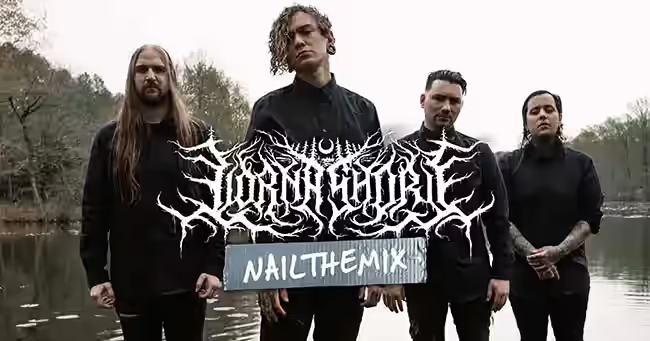
Will Ramos’s vocal performance on Lorna Shore’s “To The Hellfire” is a force of nature. From guttural lows to screeching highs, his range is simply ridiculous. But how do you take a performance that massive and make it fit perfectly into an already dense deathcore mix? Producer Josh Schroeder gave us a look under the hood at his approach, revealing the techniques he used to shape, control, and dynamically arrange those monstrous vocals.
We’ll break down his vocal bus chain, his philosophy on layering, and a killer “sleight of hand” trick he used to create powerful transitions.
The Foundation: Heavy Lifting on the Way In
In modern metal mixing, we often think about piling on plugins, but Josh’s approach starts way before the DAW. The vocals for “To The Hellfire” came into his session with a lot of the heavy lifting already done. This is a crucial takeaway: the sound was captured aggressively from the start.
The raw vocal tracks were already heavily compressed, clipped, and saturated with high-end hardware, including a Neve preamp. This gives the vocal a consistent, “blown up” character that sounds great right out of the gate. By the time it hits Pro Tools, the core tone is already established. In fact, on the individual vocal channels themselves, Josh isn’t doing much at all—no EQ, no extra compression. The foundation is already rock solid.
Building the Main Vocal Bus Chain
With the individual tracks sounding good, all the real shaping happens on the main vocal bus, where all of Will’s parts are routed together. This is where Josh refines the tone and ensures it sits perfectly in the mix.
De-Essing and Enhancing for Grit
The first step on the bus is finding a balance between clarity and aggression. Will’s voice has an incredible, disgusting texture that you want to push forward. Josh used a combination of de-essing and enhancing to highlight that grit while taming the harsh, distracting sibilance (“s” and “sh” sounds). The goal is to get all the nasty character without any of the annoying, fizzy frequencies.
Taming Frequencies with Multi-band Compression
Next up is some targeted compression. Josh uses a multi-band compressor, like the FabFilter Pro-MB, not to squash the whole signal, but to act as a problem-solver. As you start layering vocals, certain frequency ranges can build up and start fighting with other instruments. This multi-band compressor dips specific frequencies only when they become a problem, preventing the vocals from taking the “starch” out of the drums or clashing with the bass. It’s a key move for maintaining clarity in a dense mix.
Sculpting with EQ
After controlling problem areas, it’s time for some broader tonal shaping with EQ. Here, Josh adds some brightness to help the vocal cut through and rolls off some more low-end to clean up any remaining mud. This is less about surgical correction and more about sculpting the overall character of the vocal to fit the track.
Creating Space and Width
To give the vocals a sense of dimension, Josh employs a couple of classic tricks.
- Vocal Doubler: A stereo doubler is used subtly to widen the main vocal, opening up the stereo image and making it sound just a little bit bigger.
- Reverb: For space, he reaches for a tried-and-true classic: the Waves R-Verb in a “New York Plate” setting. It’s nothing overly fancy, but it does the job perfectly, giving the vocal a bit of its own space so it doesn’t sound unnaturally dry against the wall of guitars and drums.
The Art of Dynamic Layering and Panning
One of the biggest challenges in a song this intense is creating dynamics. You can’t just have everything at 11 the whole time. Josh masterfully uses vocal layering and panning to make different sections feel unique and impactful.
In a section leading up to a breakdown, he keeps the layered vocals relatively narrow and focused. He achieves this by sending multiple vocal layers to a stereo bus but keeping the output essentially mono. This creates a thick, stacked vocal sound that still feels centered, leaving plenty of room in the stereo field for the intricate guitars.
Then, when the breakdown hits, everything changes. The guitars simplify to heavy, chugging riffs, which opens up a ton of stereo space. Josh takes advantage of this by panning the vocal layers wide. The effect is massive. You go from a focused, narrow vocal to a huge, all-encompassing presence that completely fills the speakers. It’s a simple, effective way to make the breakdown hit like a ton of bricks.
The “Sleight of Hand” Transition Trick
So, you’ve built up to this huge, wide vocal moment in the breakdown. How do you get back to a more streamlined pre-chorus without the energy just falling off a cliff? Josh uses a bit of audio misdirection—a “sleight of hand” trick.
The song features a dramatic tempo change right after the breakdown. This tempo shift is the most noticeable thing happening, and it grabs the listener’s attention completely. While the listener is distracted by the tempo change, Josh uses it as a cover to subtly fade out the extra vocal layers and add a bit of delay to smooth the transition.
He even works with Will’s performance to help sell the effect, having him swing from a deep low to a piercing high at the end of the phrase. This naturally thins the vocal out, making the transition back to a single primary vocal layer for the pre-chorus feel seamless. You’ve gotten rid of all the extra layers without the section feeling suddenly thin or weak, perfectly setting the stage to bring all those layers back in for maximum impact in the next chorus.
These are the kinds of clever, real-world mixing decisions that separate the pros. Seeing how Josh Schroeder uses a combination of solid foundational processing and creative automation is a masterclass in modern metal production. For an even deeper look at the vocal side of things, our Lorna Shore vocal mixing tutorial breaks down every step of Josh’s vocal bus chain, layering strategy, and transition tricks in detail. If you want to see exactly how he applied these techniques—and many more—to craft the final mix for “To The Hellfire,” you can watch him mix the entire song from scratch.
Lorna Shore on Nail The Mix
Josh Schroeder mixes "To the Hellfire"
Get the Session
Nail The Mix gives you access to the full multitracks so you can practice these techniques yourself. You get to see pros like Josh work in real-time, explaining every plugin, every fader move, and every creative decision they make. It’s the best way to move beyond presets and truly unlock your sound. Check out the full Lorna Shore mixing session and see how it all comes together.