
The Best Free IR Loaders: Your Guide to Massive Guitar Tones
Nail The Mix Staff
So you’ve got a killer amp sim like a Neural DSP Archetype or a 5150 model cranked up, but your guitar tone still sounds… off. It’s fizzy, thin, and feels like a cheap imitation of the massive tones you hear on records from bands like Periphery or Architects. What gives?
Nine times out of ten, the problem isn’t your amp sim—it’s your cabinet section. The raw sound from an amp head is only about 20% of the final equation. The other 80%—the body, the punch, the “air” in the sound—comes from the speaker, the cabinet, the microphone, and the mic placement. This is what an Impulse Response (IR) captures.
A great amp sim with a bad IR will always sound bad. But even a decent amp sim with a phenomenal IR can sound album-ready. To harness this power, you need a great IR loader. The good news? You don’t need to spend a dime. Let’s break down the best free IR loaders that will completely transform your metal guitar tones.
Why You Need a Dedicated (Free) IR Loader
“But my amp sim plugin already has a cab section!”
Yep, and while those built-in loaders are convenient, they’re often limited. They might only let you load one IR at a time or offer very basic EQ. A dedicated standalone IR loader, even a free one, unlocks a new level of tonal control. You can blend multiple IRs for a complex sound, get surgical with EQ, and manage your library with ease—all crucial steps for crafting a professional metal tone.
The Best Free IR Loaders for Metal Producers
These aren’t just “good for free” plugins; these are genuinely powerful tools that stand up to many paid options.
Spectre Digital PRISM (Free Version)
Spectre Digital’s PRISM is a modern, forward-thinking platform, and their free IR loader is a game-changer. It’s designed as the centerpiece of your IR workflow, allowing you to load, blend, and shape tones with incredible precision.
Download Spectre Digital PRISM Here
Pros for Metal Producers:
- Blend Up to Four IRs: This is huge. You can easily create complex tones by blending different mics and speakers.
- Automatic Phase and Gain: PRISM automatically fixes phase and volume issues when you load multiple IRs. This saves you from the headache of a hollow, out-of-phase sound and makes blending effortless.
- IR Export: You can blend four IRs, get them sounding perfect, and then export that blend as a single, new .wav file. This is essential if you want to load your custom tones onto hardware modelers like a Quad Cortex or HX Stomp.
- Killer UI: The interface is clean, modern, and built for a fast workflow.
Cons/Heads-Up:
- The massive cloud library of artist IRs is a paid subscription feature. The free version “only” lets you load and manipulate your own local IR files, which is still incredibly powerful.
Lancaster Audio PULSE 2
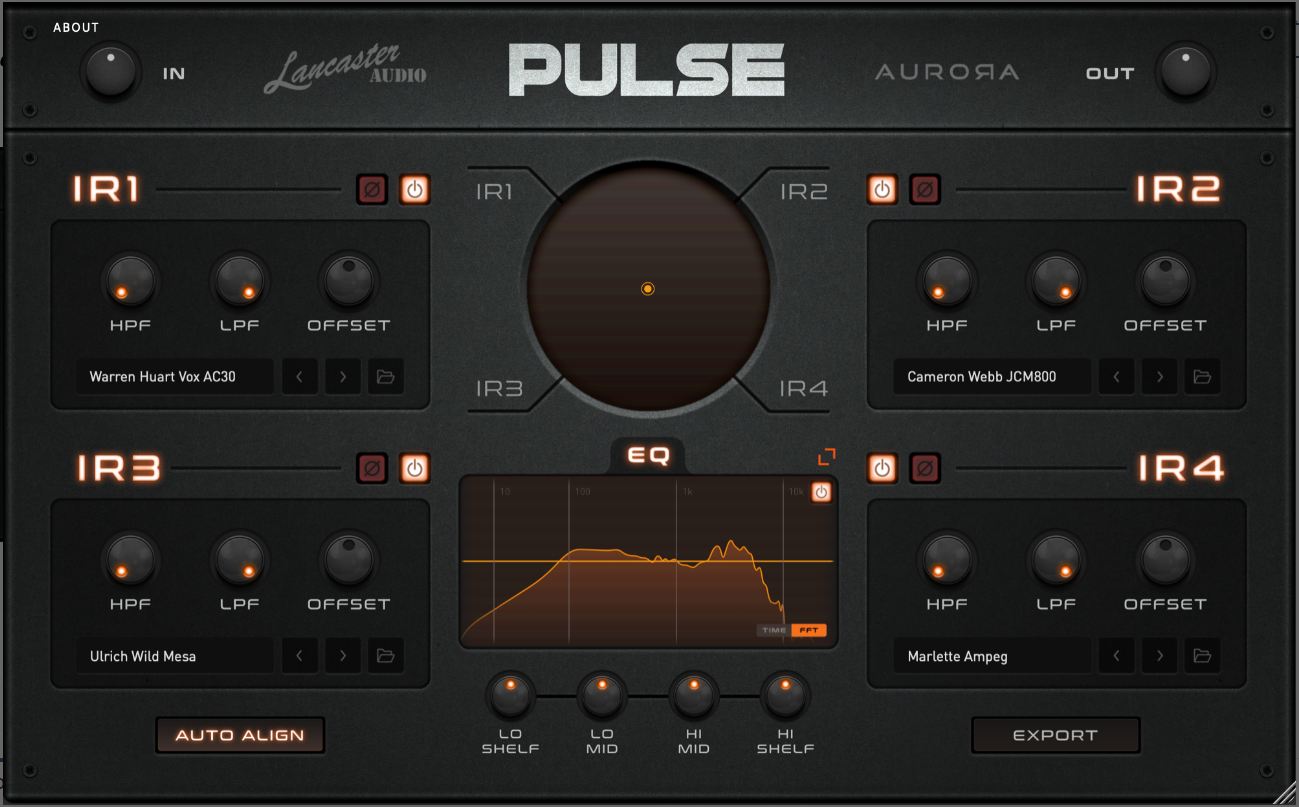
Developed in collaboration with Aurora DSP, PULSE 2 is an absolute powerhouse and arguably one of the most full-featured free plugins on the market. It’s a go-to for countless home studio producers and for good reason.
Download Lancaster Audio PULSE 2 Here
Pros for Metal Producers:
- Blend Four IRs & Auto Phase: Just like PRISM, you can blend up to four IRs, and it has an “Auto-Align” feature to instantly fix phase problems.
- IR Export: Again, this is a must-have feature for creating your own unique blends to use in other software or hardware.
- Built-in EQ and Filters: It comes with high-pass/low-pass filters and a simple EQ section, allowing you to do some basic tone-shaping right inside the loader.
- Simple Drag-and-Drop: Loading IRs is fast and intuitive.
Cons/Heads-Up:
- While powerful, the UI isn’t quite as slick or feature-rich as PRISM’s top-tier system, but for a 100% free tool, it’s hard to complain.
Aurora DSP FenrIR
From the same minds that helped create PULSE 2, FenrIR is another top-tier free option. It focuses on a streamlined user experience and excellent visual feedback, making it a great choice for producers who want to see exactly what they’re doing to their sound.
Download Aurora DSP FenrIR Here
Pros for Metal Producers:
- Great Visuals: FenrIR provides real-time waveform and spectrum analysis, helping you visualize your tone as you blend and EQ.
- IR Export: Just like its cousins, FenrIR lets you create and export your custom blends as a single .wav file.
- Transient Guide: A cool, unique feature that helps you visually align the transients of different IRs for the tightest possible sound.
- Clean and Simple: The workflow is incredibly intuitive and focused, perfect for getting a great sound without getting lost in menus.
Cons/Heads-Up:
- It has slightly fewer bells and whistles than PULSE 2, focusing more on the core experience of blending and exporting.
Ignite Amps NadIR
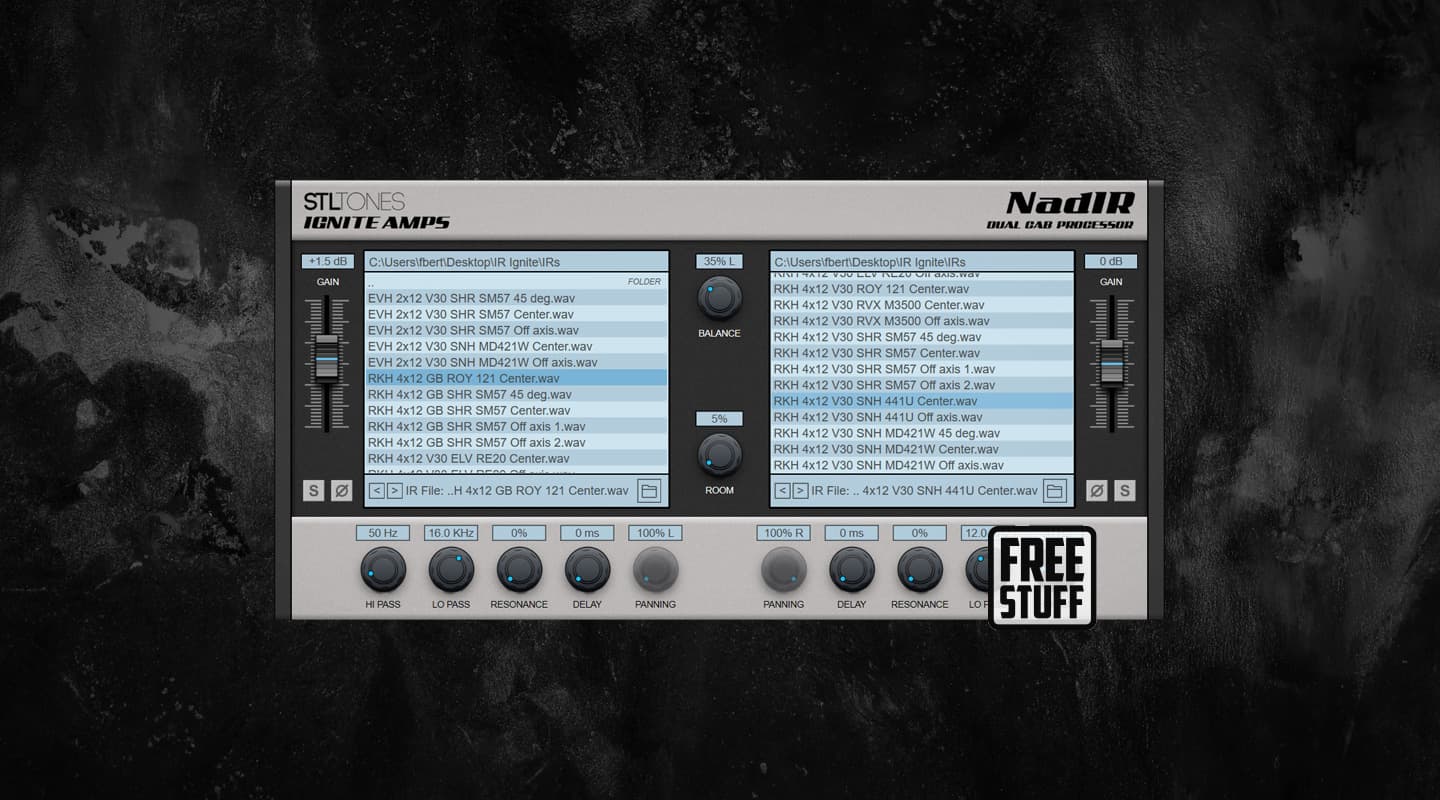
NadIR is the OG, the granddaddy of free IR loaders. For years, it was the undisputed king and the plugin that introduced thousands of producers to the world of impulse responses. It’s lightweight, simple, and still gets the job done.
Download Ignite Amps NadIR Here
Pros for Metal Producers:
- Super Lightweight: If you’re running a project with a high track count, NadIR barely uses any CPU, making it a reliable workhorse.
- Simple and Effective: It lets you load and blend two IRs, pan them, and apply high and low-pass filters. It’s no-frills and straight to the point.
- The Classic: It’s a studio staple. You know it’s going to be stable and reliable.
Cons/Heads-Up:
- CRITICAL WARNING: By default, NadIR has built-in low-pass and resonance filters that are turned ON. This can unintentionally color the sound of your IR. For a pure tone, make sure you go into the settings and turn these features OFF to hear your IR as it was intended.
- It only loads two IRs and lacks the modern auto-phase and export features of the newer plugins.
Taking Your Tones to the Next Level
Having a great free IR loader is the first step. The real art comes from knowing what to do with it.
A classic studio technique is to blend two different microphones on a cabinet. You can do this virtually by blending two IRs. A common metal combo is:
- IR #1 (The “Bite”): A Shure SM57-based IR. This gives you that aggressive, forward midrange and attack that helps your guitar cut through a dense mix.
- IR #2 (The “Body”): A Royer R-121 (ribbon mic) based IR. This fills out the low-mids and gives the tone its weight and thickness.
When you load these into a plugin like PRISM or PULSE 2, hit the “auto-align” button to make sure they’re perfectly in phase. The result is a sound that’s both clear and massive—far better than what either IR could achieve on its own.
But what about after the IR? That’s when you bring in the final polish. Knowing how to apply surgical EQ to tame fizz without losing aggression is a skill in itself. The same goes for knowing how and when to use compression to add punch and glue your guitar tracks together. Mastering these skills is what separates a good tone from a great one.
- Learn more about EQing metal guitars for max impact here.
- Discover pro techniques in our guide to metal compression secrets.
Imagine watching the engineers who mixed your favorite albums make these exact decisions. That’s what Nail The Mix is all about. You get to be a fly on the wall as world-class instructors like Jens Bogren, Will Putney, and Nolly Getgood mix real songs from bands like Gojira and Opeth from scratch, explaining every move.
Gojira on Nail The Mix
Logan Mader mixes "Toxic Garbage Island"
Get the Session
You get the real multi-tracks to practice on, and you see exactly how they blend IRs, dial in EQ, and apply bus processing to achieve those legendary tones.
If you’re ready to see how the pros do it, check out our full catalog of Nail The Mix sessions and see what it takes to build a truly world-class metal mix.







