Killer Free Vocal Plugins for Metal Production
Nail The Mix Staff
Getting a massive, professional-sounding vocal track doesn’t mean you have to drop hundreds of dollars on fancy plugins. Honestly, the whole idea that a specific plugin is the “secret” to a great mix is mostly marketing hype. The truth is, your skills, your ears, and your decisions matter way more than whether you’re using a $300 compressor or a free one.
Let’s get one thing straight: gear and plugin acquisition syndrome is real. We’ve all seen our favorite producers using some new, shiny plugin and thought, “I need that.” But the reality is that any of the world-class Nail The Mix instructors could get a killer mix using the stock plugins that came with your DAW.
Why? Because they know what to do. They know how to listen, how to EQ, and how to compress. The tool is just a means to an end.
That said, having a few go-to freebies that are powerful, stable, and deliver the goods can seriously level up your workflow. This isn’t about collecting dozens of plugins you’ll never use. This is a curated list of free vocal plugins that are genuinely useful for producing heavy music.
First Stop: Your DAW’s Stock Plugins
Before you download a single thing, get lethal with the tools you already own. Your DAW’s stock EQ and compressor are more than capable of handling 90% of the work. Seriously. Do you need a surgical cut at 457Hz? Your stock EQ can do that. Need to smash a vocal with 10dB of gain reduction? Your stock compressor has you covered.
Mastering these tools is the single most important thing you can do. Once you know them inside and out, you can start exploring third-party options to solve specific problems or add unique character.
Core Processing: EQ & Compression Standouts
When your stock plugins aren’t quite cutting it, or you need a specific flavor, these free tools are a fantastic next step.
Klanghelm MJUC jr. – Variable-Tube Compressor
While your stock compressor handles clean, transparent dynamic control, sometimes you want a compressor that adds vibe and color. The Klanghelm MJUC jr. is a beautifully simple tube-style compressor that can go from gentle leveling to full-on aggressive smashing.
How to use it:
- Set Attack and Release: Use the “Fast” setting to catch the aggressive peaks of a scream, or “Slow” to let more transients through on a clean vocal.
- Drive for Character: This isn’t just a level-controller. Pushing the “Compress” knob adds subtle harmonic saturation that can help a vocal stand out.
- For more next-level tricks, check out these advanced metal compression secrets.
TDR Nova – Dynamic EQ
A dynamic EQ is a game-changer for vocals. Think of it as an EQ and a compressor combined. Instead of a static cut or boost, it only affects a frequency band when it crosses a certain threshold. TDR Nova is a free, full-featured dynamic EQ that rivals many paid options.
Why it’s great for metal vocals:
- De-essing: Tame harsh sibilance (“s” and “t” sounds) around 5-8kHz without making the whole vocal dull. The EQ only cuts when those harsh frequencies actually appear.
- Taming Room Resonance: Got a boxy sound in the low-mids around 250-500Hz? Use Nova to dynamically dip those frequencies only on sustained notes, cleaning up the mud without thinning out the whole performance.
- Controlling Scream “Fizz”: Screams can have a nasty, fizzy buildup in the high end. Find the offending frequency and set a dynamic band to clamp down on it, preserving the aggression without the ear-fatigue.
Adding Grit & Character with Saturation
A clean vocal often sounds sterile and disconnected from a heavy instrumental. Saturation adds harmonics and a touch of distortion that helps the vocal cut through a dense wall of guitars and cymbals.
Softube Saturation Knob
It doesn’t get simpler than this. Softube’s Saturation Knob is a free, one-dial-wonder that makes things sound better. You get a single large knob for the amount of saturation and a three-way switch to determine how it affects the frequency spectrum.
How to use it:
- For Aggression: Put this on a scream track, set the switch to “Keep High,” and turn the knob until it adds the right amount of sizzle and bite. It helps focus the energy in the upper midrange where a vocal needs to live.
- For Warmth: Use it on a clean vocal track with the “Keep Low” setting to add some body and weight without making it muddy.

Shattered Glass Audio SGA1566
When you want more control, the SGA1566 delivers. It’s a full-on tube preamp simulation that can go from subtle warmth to total meltdown. It’s more complex than the Softube knob but offers a huge palette of tones.
How to use it:
- Drive the input to get more grit and distortion, but pull back the output to maintain a consistent level (this is called gain staging!).
- Use it on a parallel bus: Send your vocal to an aux track with the SGA1566 on it, crush it into oblivion, then blend that distorted signal back in underneath the main vocal for added thickness and aggression without losing clarity.
Creating Space with Reverb & Delay
Ambience gives a vocal depth and dimension. But in metal, too much can quickly turn your mix into a muddy mess. The key is using the right kind of effect.
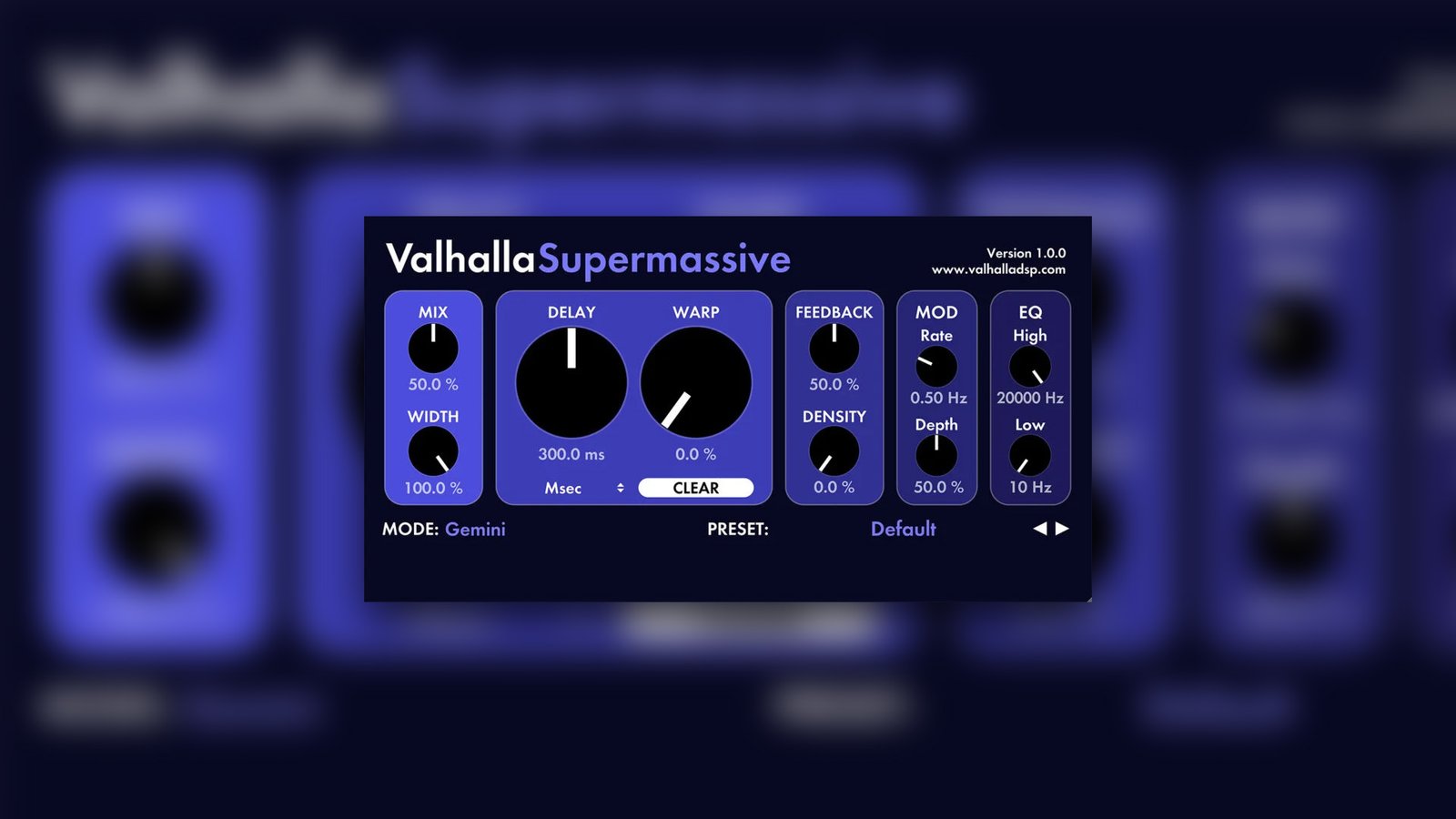
Valhalla Supermassive
This plugin is legendary for a reason. Valhalla Supermassive is not your average reverb; it’s a powerhouse for creating massive, lush, and otherworldly echoes and reverbs that are perfect for modern metal.
How to use it:
- Epic Tails: Use this on a reverb send (never directly on the track!). Pick one of the wilder modes like “Great Annihilator” or “Andromeda.” Automate the send so that only the last word or syllable of a phrase gets shot into the void. This gives you that huge, epic sound without washing out the whole vocal.
- Creative Delays: It’s not just for reverb. Play with the “Mode” and “Warp” controls to create rhythmic, modulated delays that can add a cool, proggy texture to vocal layers.
TAL-Reverb-4
For a more traditional reverb sound, TAL-Reverb-4 is a fantastic, simple plate reverb emulation. Plate reverbs were used on countless classic rock and metal records and are great for adding a sense of space without a long, distracting tail.
How to use it:
- Set a short decay time (around 1 to 1.5 seconds) and use the built-in EQ to cut the lows below 150-200Hz. This adds a nice halo of space around the vocal that helps it sit in the mix without creating mud.
Essential Vocal Utilities
These plugins solve very specific, common vocal production problems.
iZotope Vocal Doubler
Wide, thick vocals are a staple of modern metal. iZotope’s Vocal Doubler is a dead-simple way to create the effect of doubled vocal tracks for instant width and power. The best way to get a great double is to actually record it, but this is the next best thing.
How to use it:
- Put it on an aux track and send your lead vocal to it. Use the controls to add a little bit of humanizing variation and separation, then pan the doubled signals hard left and right. Tuck this stereo track just underneath your main vocal for a wider, more powerful sound.
MeldaProduction MFreeFXBundle (MAutoPitch)
The MFreeFXBundle from MeldaProduction is a massive collection of free tools, but the one to grab for vocals is MAutoPitch. It’s a simple, effective pitch correction plugin.
How to use it:
- Subtle Correction: Don’t just crank it to 100%. For transparent pitch correction on a clean vocal part, set the speed to be slower. This will gently guide notes into place without sounding robotic.
- Creative Effect: Want that hard-tuned, robotic sound for a background layer or a specific effect? Crank the speed to its fastest setting.
The Real Secret: It’s You, Not the Plugins
So you’ve downloaded a few of these, now what? Remember, these are just the ingredients. The final dish depends entirely on the chef—and that’s you. Knowing when to apply surgical EQ vs. broad strokes, how to set a compressor to enhance a performance, or how to blend in saturation and reverb—those are the skills that separate an amateur mix from a pro one.
It doesn’t matter if two mixers use the exact same plugins. Their mixes will sound completely different because their tastes, experiences, and decisions are unique. Your unique sound will come from refining your craft, not from finding a magic plugin. Spend your time learning the fundamentals of EQing metal guitars and vocals, not chasing the next big thing.
Want to see exactly how the pros do it? Imagine being a fly on the wall while the producer who mixed your favorite record breaks down every single decision they made, from gain staging to the final vocal bus chain.
Memphis May Fire on Nail The Mix
Kellen McGregor mixes "Shapeshifter"
Get the Session
That’s what Nail The Mix is. Every month, you get the actual multi-tracks from a massive metal song and watch the original producer craft the mix from scratch. You can see their plugin chains, their automation moves, and hear them explain why they’re doing what they’re doing. Check out the full catalog of sessions and start turning great tools into incredible mixes.