
How to Use Multiband Compression for Tighter Metal Mixes
Nail The Mix Staff
Multiband compression is one of those tools that can feel intimidating. With all its bands, crossovers, and individual controls, it looks way more complex than your trusty single-band compressor. But here’s the thing: it’s also one of the most powerful problem-solvers you can have in your arsenal, especially for getting a tight, controlled, and punishingly heavy low end.
Think of it less as a typical compressor and more as a dynamic EQ. It’s an EQ that only kicks in when you tell it to, clamping down on specific frequencies only when they get too loud. This makes it a beast for taming the exact issues that plague modern metal mixes—from wobbly bass notes to out-of-control guitar chugs—without sucking the life out of your entire track.
Let’s break down how to use it to get that locked-in, professional sound.
The #1 Use Case: Taming Your Low End
In a dense metal mix, an inconsistent low end is the fastest way to make everything sound sloppy. If the bass guitar has certain notes that boom out, or the palm mutes create a wave of uncontrollable low-mid mud, a multiband compressor is your new best friend. It can surgically fix these problems without touching the rest of the frequency spectrum.
This is a go-to move for controlling the relationship between the bass and guitars and gluing the whole rhythm section together.
Setting Up Your Bands for Maximum Impact
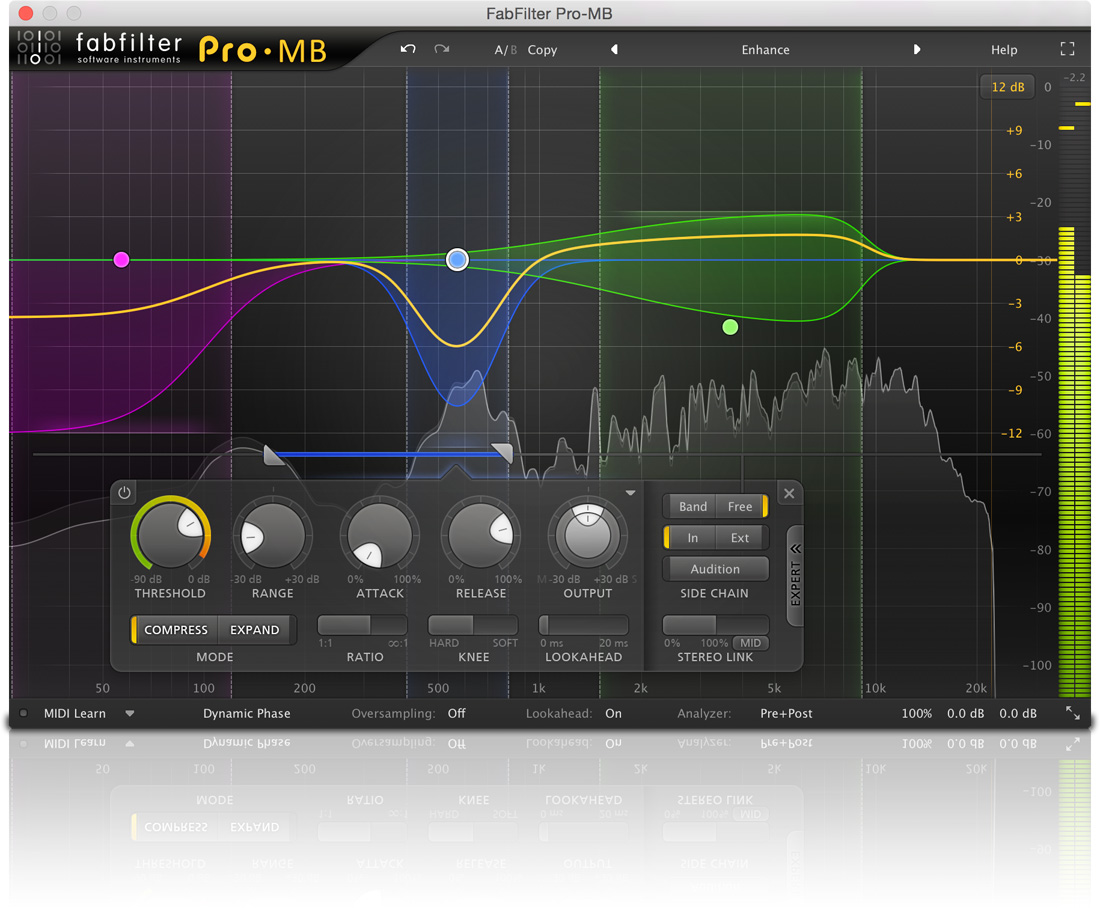
Instead of just slapping on a preset, you need to think about what you’re trying to fix. For controlling bottom-end chaos, you’ll want to focus your attention on two key areas. Using a plugin with a clear visual interface like the FabFilter Pro-MB makes this process super intuitive.
- The Sub-Bass Band (Below ~120Hz): This is where the fundamental power of your bass guitar and the sub of your kick drum live. A band here can act as a limiter to keep the absolute floor of your mix from getting out of control. It ensures a consistent, solid foundation without random notes causing your speakers to jump out of their cones.
- The Low-Mid Band (~120Hz – 500Hz): This is the magic zone for tightness. It’s where the body of the bass and the chug of the guitars often overlap and fight for space. Inconsistent playing or a boomy instrument can create a “low-end swing” here that makes the whole mix feel loose. By isolating this range, you can compress only this muddy buildup when it crosses the threshold, tightening up the guitars and bass so they lock in perfectly.
Shaping the Feel with Attack and Release
This is where multiband compression goes from a simple fix-it tool to a creative shaping tool. The attack and release settings on your low-end bands can dramatically change the feel and groove of your entire mix. It’s a trade-off between control and size, and knowing how to manipulate it is key.
The “Tight and Controlled” Approach: Fast Attack
If you want that super tight, modern metal sound where every note is clearly defined and hits like a jackhammer, a fast attack is the way to go.
- How it Works: By setting a fast attack (think 1ms to 10ms), the compressor grabs the transient of the bass note or guitar chug almost instantly. It stops the note from “blooming” and keeps its level perfectly in check from the very start.
- The Result: This gives you a “locked-in” or “glued” feel. The low end becomes incredibly tight and punchy, but in a very controlled way. It might not sound as “huge” or “boomy” on its own, but in the context of a full mix, it creates a powerful and clear foundation that allows other elements (like the kick’s beater) to cut through. For more on getting that punch, check out our guide to metal compression techniques.
The “Open and Massive” Approach: Slower Attack
Sometimes, you want a bit more air and size in your low end. Maybe the track is a bit slower, or you just prefer a more vintage, breathing feel.
- How it Works: A slower attack time (try 30ms to 50ms) allows the very beginning of the note—the initial thump—to pass through untouched before the compression kicks in.
- The Result: The bass and low end of the guitars will sound more “open” and potentially more massive because that initial transient energy is preserved. The trade-off? You lose some of that ultra-tight control. The mix can start to feel looser, maybe even a little sloppier if you push it too far.
What About Release Time?
Release time determines how quickly the compressor stops working after the signal drops below the threshold.
- Fast Release: Can sound more exciting and energetic, but if it’s too fast, you can lose that feeling of glue and control.
- Slow Release: “Pins down” the sound for longer, providing more consistent taming and a smoother, more controlled result.
There are no hard rules here. You have to listen and decide what serves the song. Is it a fast, technical track that needs ultimate precision, or a sludgy, groovy song that needs to feel huge and a little bit wild?
Using a Sidechain for your Multiband Compression
Sidechain multiband compression is a precision tool for solving frequency conflicts in dense metal mixes, where multiple instruments fight for space. Unlike standard sidechain compression, which ducks the entire signal, multiband sidechaining only reduces specific frequency ranges. This makes it perfect for metal, where you want to keep aggression and size while carving space dynamically.
Kick vs. Bass
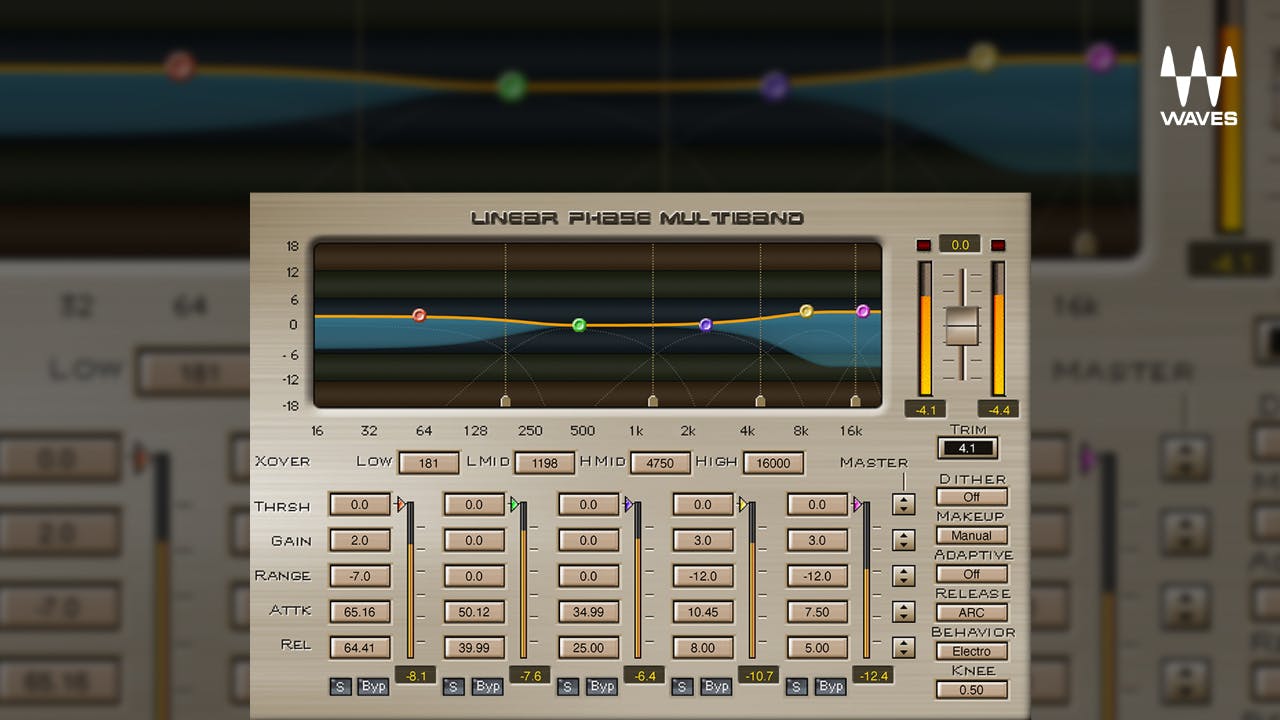
The low end is one of the most common problem areas. A kick and bass guitar often overlap around 50–120 Hz. By inserting a multiband compressor (like FabFilter Pro-MB or Waves C6) on the bass and sidechaining it to the kick, you can duck just the sub frequencies when the kick hits. This ensures the bass retains its growl in the mids while the kick punches through clearly.
Guitars vs. Vocals
Distorted guitars dominate the midrange, which can bury vocals. Instead of permanently EQ-cutting the guitars, use sidechain multiband compression to duck around 1–3 kHz only when the vocal is active. Plugins like Ozone Dynamics or Pro-MB let you set narrow bands so the guitars remain huge but make room dynamically for vocal intelligibility.
Cymbals vs. High-End Elements
Overheads and hi-hats can create harshness in the 6–10 kHz range, often masking vocals or lead guitars. By sidechaining cymbals to the vocal or leads, you tame the brightness only when needed, keeping clarity without dulling the entire drum kit.
Where & When To Use It (The Big Warning)
A multiband compressor is a finishing tool. It’s for when your mix is already 90% of the way there, but you need to solve a specific dynamic problem on a bus or the whole mix.
Think of it this way: if your boat has a hole in it, you don’t start by bailing the water out. You patch the hole first.
The same applies to mixing. If your bass tone is fundamentally flawed or your guitar EQ is a mess, a multiband compressor is just a band-aid. Fix problems at the source first with proper EQ on your individual tracks. Only once your basic balances, EQs, and single-band compression are sounding great should you reach for the multiband to add that final layer of polish and control on a bus (like your drum bus, guitar bus, or mix bus).
Watch the Pros Do It
Reading about settings and attack times is one thing, but hearing and seeing these decisions made in real-time on a real session is a total game-changer. It’s one thing to be told a 10ms attack sounds “tight,” but it’s another to see a producer like Joey Sturgis or Will Putney apply it to the bass bus of a killer track and hear the entire foundation of the song lock into place.
At Nail The Mix, that’s exactly what you get. You can explore our entire catalog of mixing sessions and watch world-class instructors mix massive songs from bands like Gojira, Lamb of God, and Knocked Loose from scratch, explaining every plugin choice and every small decision that adds up to a professional-sounding mix.
And if you’re serious about taking your skills to the next level, URM Enhanced gives you access to an insane library of knowledge. Over 1,500 more tutorials like this are available as part of URM Enhanced, covering every possible production topic you can imagine.