Presonus Studio One vs Pro Tools: Choosing Your Metal Production DAW
Nail The Mix Staff
The DAW wars. It’s the metal producer’s version of the Fender vs. Gibson debate. You’ll see people fight to the death online over which software is superior, but here’s the reality: any modern Digital Audio Workstation is capable of producing a killer record.
The real question isn’t “which one is best?” but “which one is best for you?”
Choosing a DAW is a big commitment. Once you learn the key commands, build your templates, and get your workflow dialed in, switching feels like learning to write with your other hand. It’s a massive pain. That’s why it pays to choose deliberately from the start.
Let’s break down two of the heaviest hitters for rock and metal producers: Pro Tools, the long-reigning industry king, and Presonus Studio One, the fast and powerful modern challenger.
Pro Tools: The Unquestioned Industry Standard
If you walk into just about any major recording studio in the US, you’ll see Pro Tools on the screen. It’s been the backbone of professional audio production for decades, and its DNA is rooted in mimicking the workflow of an analog console and tape machine.

The Pros of Pro Tools for Metal Producers
Audio Editing is King
This is Pro Tools’ superpower. When you’re dealing with 16 tracks of live drums and quad-tracked, palm-muted guitars that need to be sample-accurate, Pro Tools is an absolute beast. Its editing workflow is built for this kind of heavy lifting. Features like Beat Detective are legendary for a reason—it’s a powerful tool for tightening up multi-tracked drum performances that few other DAWs can match in raw power and precision. The grid and slip modes make comping vocals and editing guitar chugs surgically precise and fast.
Industry Collaboration
This is a huge one. If you plan on sending your sessions to be mixed by established producers or want to work in commercial studios, being on Pro Tools removes a major barrier. It’s the common language. Many of the world-class producers on the Nail The Mix instructors Roster live and breathe Pro Tools, so if you want to follow their workflows exactly, it’s the most direct path.
Rock-Solid Stability & Plugin Support
Because it’s the standard, every major plugin developer—from UAD and Slate Digital to FabFilter and Waves—builds for its native AAX plugin format without fail. You never have to worry if your favorite tools will be supported. It’s built for mission-critical professional work, and its stability reflects that.

The Cons of Pro Tools
MIDI and Composition are Clunky
Here’s the Achilles’ heel. Pro Tools was never designed to be a creative composition tool. Writing with MIDI is-… functional, but it’s a far cry from the fluid, inspiring workflows of Ableton Live or even Studio One. It lacks intuitive tools like Ableton’s Drum Rack or the simple drag-and-drop MIDI-to-audio functionality of other DAWs. If you’re a songwriter who builds tracks with virtual instruments before you ever plug in a guitar, Pro Tools will feel like you’re fighting it every step of the way.
The Price & Subscription Model
Pro Tools isn’t cheap, and its move to a primarily subscription-based model is a turn-off for many who prefer to own their software outright. You need to carefully evaluate the different tiers to make sure you’re getting the features you need without overpaying.

Studio One: The Modern, Fast Challenger
Studio One is the new-school contender. Developed by folks who had a hand in creating Cubase, it was built from the ground up to address the pain points of older DAWs. It’s designed for speed and creative flow, aiming to be a complete, end-to-end production solution.
The Pros of Studio One for Metal Producers
Blazing Fast Workflow
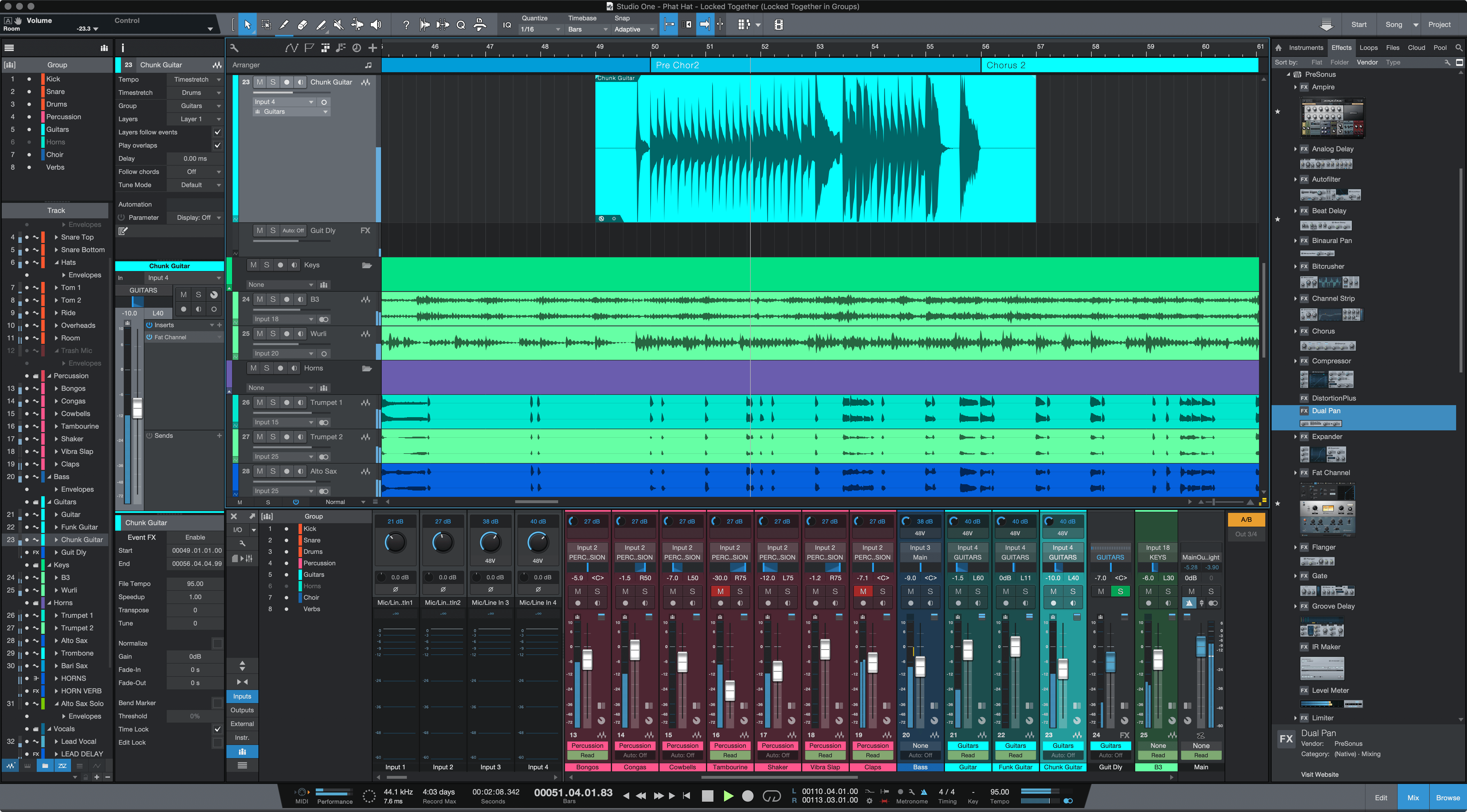
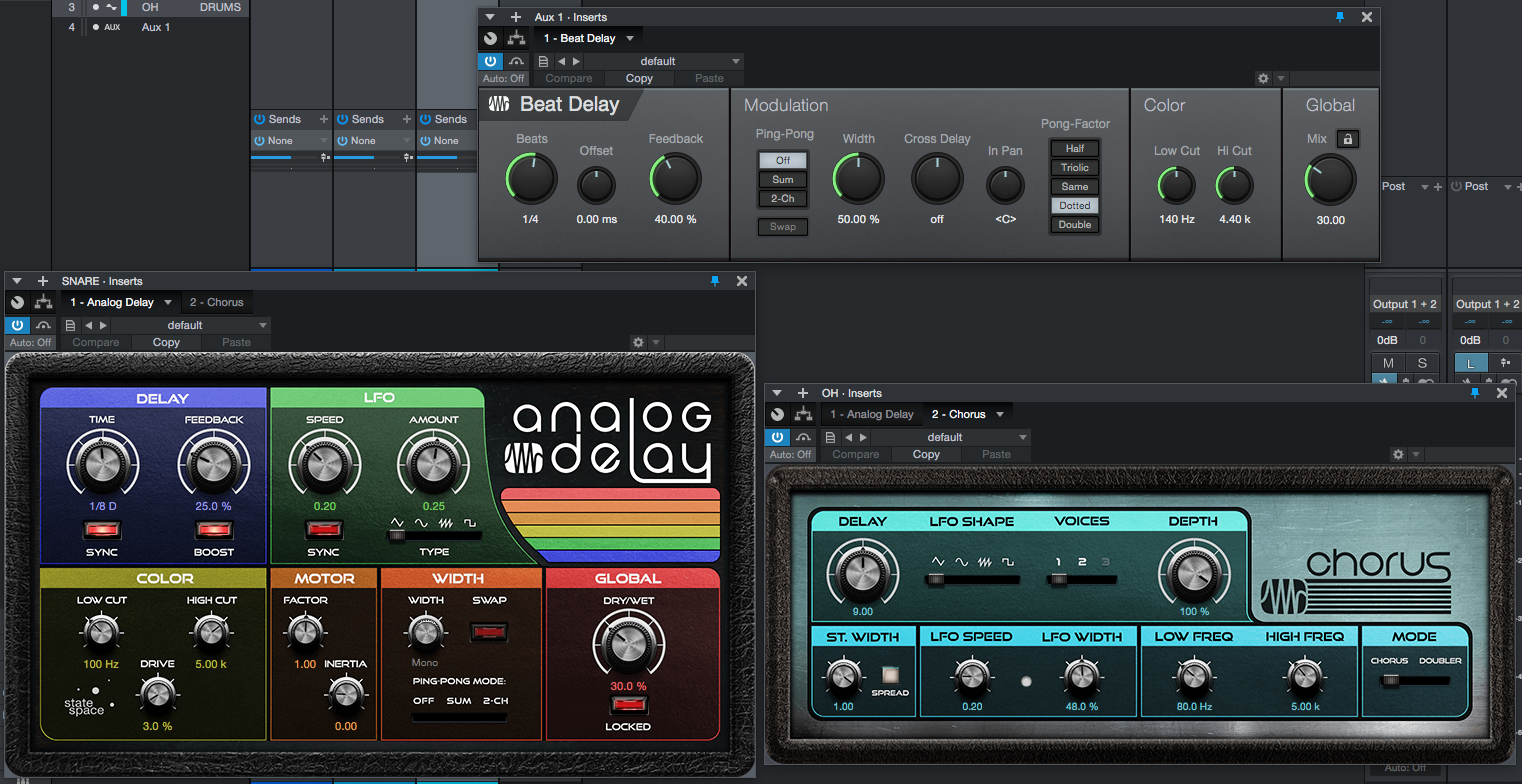
This is Studio One’s main draw. Everything is designed to keep you in a creative state with minimal clicks. Want to create a parallel compression bus for your vocals? Just drag a plugin onto the channel send area, and Studio One creates the bus and routing for you. The drag-and-drop ethos extends to everything from VSTs to audio effects and channel settings. It’s an incredibly intuitive and fast way to work.
Powerful All-in-One Capabilities
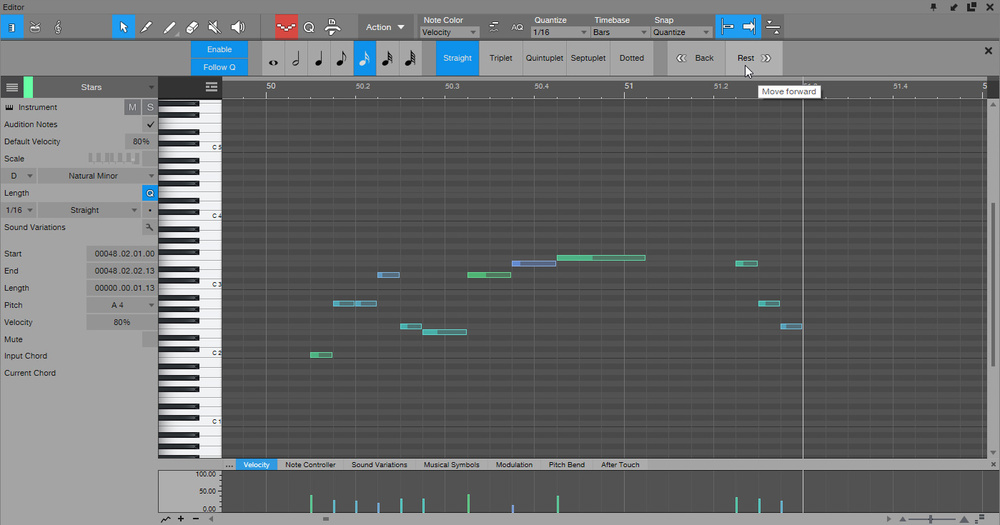
Unlike Pro Tools, which excels at audio but fumbles with MIDI, Studio One is a beast at both. You can sketch out a song with its excellent built-in instruments (like the Impact XT drum sampler), then seamlessly track and edit a full band without ever feeling like you’re using the “wrong” tool for the job. This unified environment is perfect for the modern producer who is also the songwriter and mixer.
Integrated Mastering Suite
Studio One has a unique “Project Page” dedicated to mastering. You can bring your finished mixes into this page, add mastering EQ and limiting, sequence your album, and export everything without ever leaving the software. Its integrated Mastering Suite is a massive workflow advantage that saves time and keeps your entire project contained in one place.
The Cons of Studio One
Not the “Industry Standard”
This is the biggest hurdle. While it’s gaining massive popularity, it’s not Pro Tools. If you need to send a full session to a big-name mix engineer, you’ll likely have to print stems (exporting each track as a separate audio file). This works, but it’s a destructive process—you can’t go back and tweak the blend of the kick mics or change a guitar amp setting.
A Smaller (But Growing) Community
While Studio One has a passionate and dedicated user base, it’s not as massive as the Pro Tools or Logic communities. This means you might have to dig a little deeper to find tutorials or get answers to very specific questions, though the community is incredibly helpful.
Key Deciding Factors for Metal Producers
So how do you choose? It comes down to your priorities.
Workflow: Editing Powerhouse vs. All-in-One Speed
- Go with Pro Tools if: Your primary role is tracking and editing audio. You live for the nitty-gritty of drum editing, vocal comping, and getting every transient perfectly aligned.
- Go with Studio One if: You’re a writer, producer, and mixer rolled into one. You value a lightning-fast workflow that lets you go from a MIDI drum idea to a fully mixed and mastered track without friction.
Collaboration: The Studio Standard vs. The Lone Wolf
- Go with Pro Tools if: You plan to collaborate often with professional studios and mixers. It’s the safe, universally accepted choice.
- Go with Studio One if: You’re primarily a solo producer or work within a small, closed team. The workflow benefits for a self-contained producer are immense and might easily outweigh the need for universal compatibility.
Plugin Support: AAX vs. VST
Both DAWs are supported by all major plugin companies. The difference is in the weeds. Pro Tools uses the AAX format exclusively. Studio One uses VST and AU. The main advantage of VST support is access to the gigantic world of freeware and indie plugins. Want to use a free IR loader like NadIR to audition different cab sounds? Or try out some niche, boutique distortion plugin? You’ll have a much easier time finding a VST version for Studio One.
No matter which DAW you use, you’ll be using plugins to shape your sound. Understanding the fundamentals of things like EQing modern metal guitars or applying powerful metal compression techniques is what truly matters.
The Verdict: Don’t Argue, Make Music
At the end of the day, both Pro Tools and Studio One are incredible tools that can be used to make world-class metal records.
Don’t let anyone tell you one is definitively “better.” Download the trials. Spend a week tracking and mixing a song in each. See which one clicks with your brain.
The software is just the vessel. The real skill is in knowing what to do with it—how to dial in a killer guitar tone, how to make drums punch through the mix, and how to glue it all together. Pro-level techniques translate across any DAW.
That’s what Nail The Mix is all about. You can look over the shoulder of producers like Will Putney, Kurt Ballou, and Andrew Wade as they mix massive tracks from bands like Gojira, Periphery, and A Day To Remember. Check out the full catalog of NTM sessions and you’ll see them use Pro Tools, Logic, Reaper, and Cubase—all to achieve incredible results. The concepts they teach can be applied in whatever DAW you ultimately choose.
So stop spending time in forums and start spending it in your DAW of choice. Your next killer mix is waiting.